Getting the Most Out of Claude Code: A Developer's Guide to AI-Assisted Programming
AI-powered coding assistants like Claude Code promise to revolutionize how we develop software, but the reality is more nuanced. While these tools can dramatically boost productivity, they require thoughtful guidance and careful oversight to deliver their full potential.
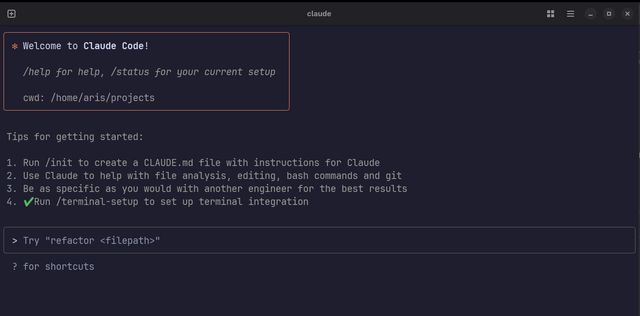
- Claude Code Specifics: Master subagents, deep thinking mode, and custom agent creation
- Universal Techniques: Apply effective practices that work across all AI coding tools
- Project Management: Navigate the unique challenges of AI-assisted development
- Realistic Expectations: Understand what these tools can and cannot do
Disclaimer: As I write this post, I have Claude Code running in the background implementing a new labeling system for this very blog—a perfect example of the techniques we’ll discuss.
One of Claude Code’s most powerful features is its ability to spawn multiple specialized agents that work in parallel. This capability can dramatically speed up complex tasks, especially when dealing with large codebases or multi-component systems.
How to Use Subagents
You can parallelize tasks simply by asking Claude Code to do so. Here’s an example prompt:
Spin up 5 agents, one for each microservice in this monorepo. Have each agent:
1. Document the service's API endpoints
2. Analyze dependencies and data flow
3. Create a summary of the service's role in the overall system

Then create a mermaid diagram showing the complete OAuth 2.0 authorization flow across all services.
Best Practices for Subagents
✅ Do Use Subagents For:
- Read-only analysis tasks: Code exploration, documentation generation, dependency mapping
- Independent bug fixes: Small, isolated issues that don’t require coordination
- Large codebase exploration: Each agent can focus on different modules or components
- Parallel research: Gathering information from different parts of a system
❌ Don’t Use Subagents For:
- Interdependent feature implementation: Agents can’t coordinate changes that affect each other
- Complex refactoring: Risk of conflicting modifications across the codebase
- Tasks requiring tight coordination: Single-threaded work is often more reliable
Important Considerations
- Token consumption: Subagents consume tokens rapidly since each maintains its own context
- Context isolation: Each agent works independently—they don’t share knowledge or coordinate
- Cost management: Use sparingly to avoid hitting rate limits or budget constraints
- Tracking complexity: Monitor what each agent is doing to avoid losing oversight
/agents
Claude Code allows you to create specialized agents with custom instructions that operate independently. The /agents command provides a way to manage these custom AI sub-agents for specialized tasks.
Creating Custom Agents
Use the /agents command to:
- Create new specialized agents with specific instructions
- Edit existing agent configurations
- Define agent roles and capabilities
- Set custom behaviors for different types of work
Example Use Cases
Specialized Code Review Agent:
Create an agent specifically trained on your company's coding standards, security requirements, and architectural patterns.
Documentation Agent:
Set up an agent that focuses exclusively on writing technical documentation, API docs, and README files in your preferred style.
Testing Agent:
Configure an agent specialized in writing comprehensive test suites, including unit tests, integration tests, and edge case coverage.
Third-Party Agent Management Tools
For more advanced agent orchestration, consider these community tools:
- Claude Squad - Multi-agent coordination system
- Claudia - Agent interaction management
Note: Custom agents maintain their specialized instructions across sessions, making them ideal for consistent, domain-specific work.
Claude Code can engage its reasoning capabilities more deeply when explicitly prompted. Simply asking Claude to “think deeply about the problem” activates extended thinking mode—the same reasoning process visible in Claude Desktop’s interface.
When to Use Deep Thinking
Deep thinking mode excels at:
Algorithm Implementation:
Think deeply about implementing an efficient Aho-Corasick string matching algorithm for our text processing pipeline.
Complex Problem Solving:
Think deeply about the architectural trade-offs between using a message queue vs. direct API calls for our microservices communication.
Data Structure Design:
Think deeply about designing a cache invalidation strategy that handles both TTL and dependency-based expiration.
Performance Considerations
- Token intensive: Extended thinking consumes significantly more tokens
- Rate limiting: This mode will hit subscription limits faster than standard interactions
- Time investment: Reserve for complex problems that truly benefit from deeper analysis
- Quality trade-off: While slower and more expensive, the output quality is typically higher
Best Practices
- Be specific about what you want Claude to think deeply about
- Prepare for higher costs and potential rate limiting
- Combine with concrete examples to guide the reasoning process
These strategies work across all AI coding tools, not just Claude Code. Master these fundamentals to improve your results regardless of which AI assistant you’re using.
The most critical factor in successful AI-assisted development is clarity of intent. More than half the effort should go into defining exactly what you want before asking the AI to implement it.
The Problem with Vague Requests
When you give an AI a vague prompt like “add user authentication,” you’re inviting interpretation and assumptions. The AI might choose a completely irrelevant implementation, or engineer an overly complex solution when you need something lean.
The PRD Process
Here’s a systematic approach that dramatically improves success rates:
1. Create Initial Specification
## Problem Statement
Users currently can't save their preferences across sessions

## Success Criteria
- Users can create accounts with email/password
- Session persists for 30 days
- Password reset functionality
- Admin can manage user accounts

## Technical Requirements
- Use JWT tokens
- Store in PostgreSQL users table
- Follow existing API pattern (/api/v1/auth/*)
- Include rate limiting on auth endpoints

## Out of Scope
- Social login (Google/GitHub)
- Two-factor authentication
- Role-based permissions beyond admin/user
2. Enhance with AI Research Feed your specification into a research-capable AI (like Perplexity):
Take this feature specification and create a comprehensive PRD with implementation details, security considerations, and test scenarios.
3. Review and Refine Edit the generated PRD to match your specific context, then use it as your prompt to Claude Code.
Results
This approach typically reduces implementation iterations saving hours of debugging, further clarifications or extended back-n-forths.
AI-assisted development fundamentally changes how you should approach version control. The unpredictable nature of AI agents makes disciplined git practices not just helpful, but essential for maintaining sanity.
Commit Obsessively
The most important habit you can develop is starting every AI task from a clean, committed state. I cannot overstate how transformative this simple practice has been for my productivity with AI tools.
When an AI agent inevitably goes down the wrong path—and it will—you face a critical decision: spend valuable time untangling what the agent did, or reset to a known good state and try again. In my experience, the reset option is almost always faster, but only if you’ve been committing frequently.
I’ve learned this the hard way. There have been several occasions in the past where I spent time trying to understand and fix an AI’s implementation, only to realize I could have reset to my last commit and re-approached the problem in a fraction of the time.
The iterative approach works best: implement small, testable pieces, commit each logical step, and build incrementally. This creates natural checkpoints that let you fail fast and recover quickly.
Git Worktrees for Enterprise Development
I wan’t aware of git worktrees for years. Adopting them was one of the best decisions I’ve made for AI-assisted development, particularly in enterprise environments where context switches are inevitable.
The reality of enterprise development is that you’ll be pulled away from your feature work—whether for production issues, code reviews, or urgent bug fixes. Traditional branch switching breaks your AI’s context and forces you to rebuild state when you return. Worktrees solve this by maintaining completely separate working directories.
Each worktree maintains its own state: uncommitted changes, AI context, and development environment. When I get called away for a production incident, I can immediately switch to a clean main branch worktree without losing any progress on my feature development. The AI agent in my feature worktree remains exactly where I left it, with all context intact.
The main drawback is managing configuration files like CLAUDE.md across worktrees. You’ll need to manually sync changes and take care of conflicts, but this overhead is minimal compared to the productivity gains. I’ve found it helpful to establish a simple workflow: always sync configuration changes back to main before merging features. See git-worktree(1) for more details.
Linear History with Squash Merges
Merge commits create complexity that both humans and AI struggle with. While git UI tools can visualize complex branch structures, they add cognitive overhead that becomes problematic when working with AI agents.
Linear history provides significant advantages for AI-assisted development. When an AI agent needs to understand recent changes or perform operations like git-bisect(1), linear history reduces the amount of context it needs to process. The agent doesn’t have to track relationships between different merge commits or understand branching strategies --it can simply follow a single line of development.
This simplicity compounds when debugging. AI agents are much more effective at helping with bisection and change analysis when they can focus on the actual diff rather than navigating merge topology. In my experience, this leads to faster problem resolution and more accurate AI assistance during debugging sessions.
The practice also enforces better discipline around feature scope. When you know you’ll be squashing commits, you naturally think more carefully about the logical boundaries of your changes and write better commit messages that summarize the entire feature rather than documenting every minor tweak.
Model Context Protocol (MCP) tools extend an agent’s capabilities by connecting it to external systems and data sources. These tools can dramatically improve AI accuracy and efficiency for specific development tasks.
Context7: Always-Current Documentation
The biggest frustration with AI coding assistants is their knowledge cutoff. It is not uncommon to reference outdated
Application Programming Interface - A set of protocols, routines, and tools that allow different software applications to communicate with each other. APIs define the methods and data formats that applications can use to request and exchange information.
Why This Matters: Instead of the agent suggesting deprecated AWS SDK commands, Context7 ensures the AI always references current best practices and APIs. This also eliminates searching for docs using Fetch, resulting in fewer tool calls.
The productivity gain is substantial. Rather than spending time and tokens correcting AI suggestions, you get accurate, current implementations from the start. This is particularly valuable for rapidly evolving ecosystems especially emerging libraries.
Serena: Language Server Protocol Integration
Serena provides agents with direct access to your IDE’s Language Server Protocol, enabling granular code analysis and manipulation that goes far beyond simple text operations.
What Serena Enables:
- Symbol-aware refactoring: Rename variables, functions, or classes across your entire codebase with confidence
- Intelligent code navigation: Find all references, implementations, and usages of any symbol
- Type-aware analysis: Understand code relationships through actual language semantics, not just regex patterns
Git MCP: Native Version Control
Git MCP provide agents with native git capabilities, eliminating the need for shell command chains and enabling more intelligent git operations.
Benefits Over Shell Commands:
- Structured data access: Instead of parsing git command output, the agent gets structured information about commits, branches, and diffs
- Safe operation approval: You can confidently auto-approve safe git operations like status checks, log viewing, and diff analysis
- Intelligent debugging: During git bisect sessions, the agent can efficiently navigate history without complex command sequences
- Context preservation: Git operations don’t break the agent’s understanding of your project state
This is particularly valuable during debugging sessions where you need to traverse git history, analyze specific commits, or understand the evolution of problematic code.
Issue Tracking Integration
Connecting your coding assistent to your issue tracking system creates a seamless development workflow where AI assistance extends beyond code into project management.
Example with Linear (or Jira/GitHub Issues): When you connect your issue tracker, you can prompt the agent to “implement ticket LIN-1234” and it will:
- Read the ticket requirements and acceptance criteria (these exist, right?)
- Understand the business context and constraints
- Implement the feature according to your specifications
- Update the ticket with progress and completion status
This eliminates the context switching between your issue tracker and development environment, ensuring the AI always has full context about what you’re building and why. This of course will only work if your issue isn’t just a single title, but actually groomed.
The type of project you’re working on fundamentally changes how you should approach AI-assisted development. Each presents unique challenges that require different strategies.
Green-field Projects: Structure or Chaos
Green-field projects are deceptively dangerous with AI assistance. The freedom to build from scratch can quickly become a liability without proper constraints and governance.
The Risk: Without strict architectural guidelines, AI agents will make inconsistent and brittle implementations, create conflicting patterns, and generate code that works in isolation but doesn’t form a coherent system. I believe we have all seen screenshots on LinkedIn about green-field projects that are swamped in debt, untestable, leading to hours of debugging for a simple change.
Success Requirements: Your organization needs sufficient maturity to provide clear architectural constraints. This means having well-defined Domain Driven Design boundaries, comprehensive PRDs, and established coding standards before the AI touches any code. Even with these guardrails, you must vigilantly review every AI-generated component to ensure it aligns with your overall system design.
The key insight is that AI agents excel at implementing well-defined patterns but struggle with architectural decision-making. Define your patterns upfront, then let the AI implement within those constraints.
Brown-field Projects: The Half-Migration Nightmare
Brown-field projects present a different challenge: context confusion. The most common scenario I encounter is: “We started migrating from X to Y, got halfway through, and now we have two different patterns for everything.”
The Problem: Your AI agent starts with a context window already half-full of contradictory examples. It sees both the old authentication system and the new one, both the legacy test framework and the new integration tests. Without clear guidance, it will randomly choose between these patterns or, worse, try to combine them.
The Solution:
-
Establish a Golden Standard Module: Identify one part of your codebase that represents your ideal architecture. This doesn’t need to be perfect, just consistent and representative of where you want the entire system to go.
-
Create Explicit Ignore Lists: Tell your AI agent to completely ignore certain directories or patterns. If you’re migrating away from a legacy implementation, explicitly instruct the agent to never reference or copy patterns from that code.
-
Document the Target Architecture: Create clear rules and instructions about which patterns to follow for common tasks: data access, authentication, validation, error handling, etc. Point the AI to specific examples rather than letting it infer patterns.
-
Commit Architectural Rules: Once you establish these guidelines, commit them to your repository (in CLAUDE.md or similar). This ensures every contributor, human and AI, follows the same patterns, preventing further fragmentation.
The goal is to establish consistent direction. Over time, this approach organically guides the entire codebase toward your target architecture while preventing AI-generated code from perpetuating legacy patterns or creating new inconsistencies.
The AI-assisted development landscape changes rapidly, and what works today may be obsolete tomorrow. However, certain patterns have emerged about where these tools excel and where they consistently struggle.
Domain-Specific Languages and Configuration Templates
AI agents perform exceptionally well with DSLs and configuration templates where patterns are well-established and syntax is rigid. Tasks like generating Terraform modules, Helm charts, GitHub Actions workflows, or nginx configuration files typically produce excellent results, especially when you provide examples from your existing setup.
The structured nature of these languages, combined with extensive documentation and examples in training data, makes them ideal candidates for AI assistance. I’ve had consistent success generating complex
The practice of managing and provisioning computing infrastructure through machine-readable definition files, rather than manual hardware configuration. IaC enables version control, automation, and reproducible deployments of infrastructure.
RFC-Based and Standardized Implementations
When implementing well-documented standards like
Open Authorization - An open standard authorization framework that enables applications to obtain limited access to user accounts on an HTTP service without exposing user passwords. OAuth 2.0 is the current industry standard.
Security Assertion Markup Language - An XML-based standard for exchanging authentication and authorization data between identity providers and service providers. SAML enables single sign-on (SSO) across multiple applications.
System for Cross-domain Identity Management - A standard for automating the exchange of user identity information between identity domains. SCIM simplifies user provisioning and management across different systems and applications.
A specification for describing REST APIs that allows both humans and computers to understand service capabilities without accessing source code. OpenAPI enables automatic documentation generation, client SDK creation, and API testing tools.
Critical Caveat: While the implementation may be functionally correct, you must personally understand the security implications of authentication and authorization code. AI agents lack the critical thinking necessary to identify subtle security vulnerabilities or implementation pitfalls that could compromise your system.
Popular Technologies with Rich Ecosystems
AI agents consistently deliver better results with widely-adopted technologies like Python, JavaScript, PHP, and Java compared to newer or niche languages like Zig, OCaml, or Rust. This disparity stems from the volume of open-source code and documentation available during training.
The network effect is significant: popular technologies have more Stack Overflow discussions, GitHub repositories, tutorials, and documentation, all of which contribute to better AI performance. If you’re working with cutting-edge or specialized technologies, expect more manual intervention and verification.
Test, Test, and Test Again
When it comes to generating test code, AI agents truly shine. They excel at creating test suites with a level of thoroughness that often exceeds what developers write manually. This strength becomes even more critical when working with AI-generated code, creating a feedback loop that accelerates development.
The Critical Feedback Loop:
Quick feedback loops become absolutely essential when working with AI-generated code. The same unpredictability that makes version control discipline crucial also makes fast test execution vital. You need to know immediately when an AI’s implementation breaks existing functionality or fails to meet requirements.
This is where the combination of AI test generation and fast test execution creates a multiplier effect. The AI can generate comprehensive tests quickly, and those tests provide rapid feedback on subsequent AI-generated implementations. This creates a development cycle where you can iterate quickly while maintaining confidence.
Best Practices for AI-Generated Test Suites:
Start every feature implementation by asking your AI to create tests first. This test-driven approach works particularly well with AI because it forces the agent to understand requirements before implementation. The tests become a specification that guides subsequent development.
Structure your test requests to get comprehensive coverage. Be explicit about the testing scenarios you want covered.
Make your test suites fast and reliable. AI-generated code often needs multiple iterations, so your tests need to run quickly enough and be targeted so you can maintain rapid feedback cycles. Slow or flaky tests break the iterative flow that makes AI assistance effective.
Understanding limitations is as important as recognizing strengths. These persistent weaknesses haven’t improved significantly across model generations and require active mitigation.
Complete Absence of Critical Thinking
AI agents operate through pattern matching, not reasoning. They cannot evaluate whether a solution makes sense in context, assess business impact, or identify logical contradictions in requirements. We are nowhere near AGI, despite marketing claims.
This manifests in subtle but dangerous ways: an agent might implement a technically correct authentication system that’s completely insecure in fundamental ways, or generate database schemas that work in isolation but create performance bottlenecks at scale.
Excessive Agreeableness Undermines Code Review
AI agents are fundamentally designed to be helpful and accommodating. They will rarely challenge your assumptions, question requirements, or provide the kind of adversarial feedback that makes for effective code review.
This agreeableness means they’ll implement obviously problematic ideas without pushback. A human reviewer would ask “Are you sure you want to do X?” but an AI agent will implement what you ask for. Never rely on AI for quality assurance, consider them only as implementation tools.
Security Blind Spots
The security domain suffers from a fundamental data problem: decades of companies hiding breach details and security vendors keeping techniques proprietary means there’s limited public security knowledge for AI training.
AI agents will consistently miss security vulnerabilities unless they’re obvious enough that any junior developer would catch them. They might implement proper input validation for SQL injection but miss business logic flaws, authorization bypasses, and most likely completely fail to detect timing attacks. This creates a dangerous false sense of security.
Real-World Example: My Workspace ID Test Code
I recently experienced a perfect example of AI logical failures. I asked Claude Code to write PostgreSQL integration tests with a workspace-based cleanup system: all test resources would be tagged with a random workspace ID and cleaned up together after the test completes.
The agent implemented this correctly, then inexplicably added suffixes like “_duplicated” and “_removed” to the workspace ID in different parts of the code. This meant cleanup queries couldn’t find resources to delete, defeating the entire purpose.
The implementation was syntactically correct and each piece made sense in isolation, but the logical connection between workspace ID generation and cleanup was broken. A human would immediately recognize this as defeating the purpose, but the AI couldn’t make that conceptual connection.
This type of failure—where individual components work but the system logic is fundamentally flawed—represents a class of problems that AI agents consistently struggle with.
Claude Code Mastery:
- Use subagents for parallel analysis and exploration, but avoid coordinated implementation tasks
- Create specialized custom agents with
/agentsfor consistent, domain-specific work - Reserve deep thinking mode for genuinely complex algorithmic challenges
Universal Best Practices:
- Invest heavily in PRD creation, clarity of intent determines success more than prompting skill
- Commit obsessively and work from clean states to enable quick recovery from AI mistakes
- Adopt git worktrees for enterprise environments where context switching is inevitable
- Maintain linear history through squash merges to improve AI debugging assistance
Strategic Project Management:
- For green-field projects: Establish strict architectural constraints before AI touches code. Hey, this works for humans as well!
- For brown-field projects: Create golden standard modules and explicit ignore lists to prevent pattern confusion
- Document target architectures and commit rules to guide both human and AI contributors
Realistic Expectations:
- AI excels at: DSL generation, RFC implementations, and work in popular technology stacks
- AI struggles with: Critical thinking, security analysis, and logical system design
- Never rely on AI for code review or security assessment. They’re implementation tools, not judgment systems